
How to Hire the Right Freelancer on Upwork: A Small Business Owner’s Step-by-Step Guide
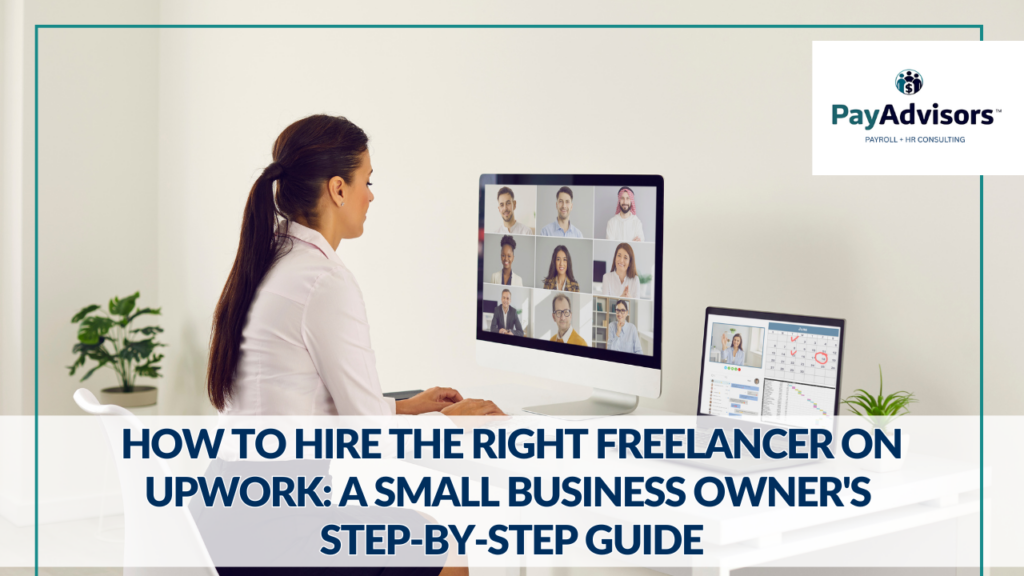
You need help. The kind that doesn’t require a full-time hire, a benefits package, or months of onboarding. If you’re wondering how to hire on Upwork, you’re not alone. Millions of small business owners turn to the platform every year to fill skill gaps without the overhead of traditional employment. Upwork connects you with over 18 million freelancers across nearly every skill category imaginable. But knowing how to find the right one, filter out the noise, and make a hire that actually sticks? That’s a different story. This guide walks you through the entire process, step by step, so you can hire with confidence and stop wasting time on mismatched candidates. What Is Upwork and Why Small Businesses Use It Upwork is the world’s largest freelance marketplace, connecting businesses with independent professionals in fields like writing, web development, graphic design, marketing, bookkeeping, and virtual assistance. For small business owners with lean teams and limited budgets, it solves a real problem: getting expert-level work done without committing to a full-time salary. The appeal of hiring freelancers for small businesses goes beyond cost. It’s about speed and flexibility. Need a designer for a one-week project? A bookkeeper for five hours a month? A developer to build a single landing page? Upwork lets you hire for exactly what you need, when you need it. Most clients find the right freelancer within just a few days of posting. Step 1: Define the Job Before You Post It Before you even open Upwork, get clear on what you actually need. This step saves more time than anything else in the process. Ask yourself: What’s the deliverable? Is this a one-time task or an ongoing role? What skills are non-negotiable? What’s your budget range? These answers will shape everything from how you write the post to which proposals you take seriously. If you’re not sure what a fair rate looks like, spend ten minutes browsing similar job posts on Upwork to see what other businesses are offering. You’ll get a sense of market rates quickly. Step 2: Write a Job Post That Attracts Quality Applicants Your job post is your first impression, and it matters more than most people realize. A vague or generic post attracts vague, generic proposals. A specific, well-structured post draws in freelancers who actually read the details and tailor their response. Here’s what to include when you post a job on Upwork: A clear, descriptive title (not “Need Help with Stuff” but something like “Shopify Product Page Design for Small E-Commerce Brand” instead). A brief overview of your business and what you’re looking for. Specific deliverables or outcomes. Required skills or tools. Your timeline and estimated budget. A screening question or small task to filter out copy-paste proposals. That last point is key. Adding a line like “Start your proposal by telling me what you’d improve about our website” is an easy way to separate the attentive freelancers from the ones sending the same template to fifty jobs. Step 3: How to Review Proposals Without Wasting Hours Once your job post goes live, expect anywhere from 15 to 40 proposals depending on the category. That can feel overwhelming, but you don’t need to read every word of every response. Build a quick filter. Start by scanning for these deal-breakers: Did they answer your screening question? Is their proposed rate within your budget? Does their cover letter reference your specific project, or is it clearly generic? From there, shortlist the top five to eight candidates and move into profile review. Don’t get stuck trying to rank everyone. You’re looking for a strong shortlist, not perfection on paper. Step 4: What to Look for in a Freelancer Profile A freelancer’s Upwork profile tells you a lot, if you know where to look. Here are the things that actually matter: Job Success Score (JSS): This is Upwork’s internal rating based on client feedback, contract outcomes, and long-term relationships. Look for 90% or above. Relevant portfolio work: Don’t just check that a portfolio exists. Look for work that resembles what you need. A web designer who’s built twenty corporate sites may not be the best fit for your playful boutique brand. Earnings and hours logged: A freelancer with significant Upwork earnings has a track record of delivering for real clients. That’s a better signal than any self-written bio. Client reviews: Read the actual feedback, not just the star rating. Look for comments about communication, deadlines, and willingness to revise. Responsiveness: Upwork shows you when a freelancer was last active. If they haven’t logged in for weeks, they may not be available. These signals together tell you whether someone is both capable and reliable, which is what Upwork for small business owners is really all about. Step 5: Interviewing and Testing Candidates Once you’ve narrowed your shortlist, it’s time to talk. Upwork has a built-in messaging system, and you can also schedule video calls for more in-depth conversations. Keep interviews focused. Ask about their process, how they handle revisions, and what their current availability looks like. If the role is ongoing, ask about communication preferences. Do they prefer Slack, email, or Upwork’s platform? For task-based work, consider running a small paid test project before committing to a larger engagement. This is one of the smartest moves you can make. A short trial (writing one blog post or designing one social graphic) reveals more about a freelancer’s work quality and communication style than any interview ever will. Always pay for test work. Asking for free samples is a red flag for top freelancers. Step 6: Making an Offer and Setting Expectations You’ve found your person. Now it’s time to make it official. When you send an offer on Upwork, you’ll choose between an hourly contract or a fixed-price contract. Hourly works well for ongoing tasks where the scope might shift. Fixed-price is better for defined deliverables with a clear endpoint. Either way, set expectations upfront. Clarify the timeline, the number of revisions included, your preferred communication cadence,
Is Upwork Worth It for Small Businesses? What to Know Before Posting Your First Job

Upwork is not for everyone. That’s not a headline you’ll find on their website, but it’s the honest truth. For some small businesses, it’s a game-changer that unlocks flexible talent without the overhead of a full hire. For others, it’s a time sink full of mismatched proposals and underwhelming work. The difference usually isn’t the platform. It’s knowing what you’re getting into. Here’s an honest look at whether Upwork is worth it for your business and what to watch out for before you post your first job. What Is Upwork and How Does It Work for Employers? Upwork is a freelance marketplace where businesses post jobs and independent professionals submit proposals. It covers nearly every skill category: writing, design, development, marketing, bookkeeping, virtual assistance, and more. As an employer, you create a free account, post a job description, review incoming proposals, interview candidates, and hire. Upwork handles the contract, payment processing, and provides a built-in work diary for hourly projects. The platform also offers dispute resolution and escrow protection for fixed-price contracts, which means you don’t release payment until you approve the work. For small businesses, the appeal is straightforward. You get access to a global talent pool of over 18 million freelancers without the commitment of a full-time hire. The Real Pros of Using Upwork as a Small Business When Upwork works, it works well. Here’s where the platform genuinely delivers for small business owners. Speed. You can go from posting a job to receiving qualified proposals within hours. Most clients find the right freelancer within a few days, which is significantly faster than traditional hiring. Flexibility. Need ten hours of design work this month and zero next month? Upwork lets you scale up or down without severance conversations or idle payroll. Cost control. You set the budget. You choose between hourly and fixed-price contracts. And you’re not paying for benefits, office space, equipment, or payroll taxes on top of the work itself. For budget-conscious small businesses, this matters. Built-in protections. Escrow payments, time tracking, and a dispute resolution process give you a safety net that you wouldn’t have hiring someone off Craigslist or through a random referral. Access to specialists. Need someone who knows Klaviyo email flows, Webflow development, or QuickBooks cleanup? Upwork has niche specialists that would be nearly impossible to find locally. The Real Cons of Using Upwork (That Nobody Talks About) Now for the honest part. Here are the Upwork pros and cons for employers that most guides gloss over. Proposal overload. A single job post can attract 15 to 40 proposals, and many of them will be generic templates. Sorting through the noise takes time, especially if you haven’t written a targeted job post. Quality inconsistency. The talent on Upwork ranges from world-class to completely unreliable. A strong profile doesn’t always mean strong work, and five-star reviews can sometimes be misleading. Learning curve. If you’ve never hired a freelancer before, the platform can feel overwhelming. Writing effective job posts, evaluating proposals, and managing remote workers are all skills that take practice. Fees add up. While creating an account is free, Upwork charges a marketplace fee on top of what you pay the freelancer. More on that below. Communication gaps. Working with freelancers across different time zones and communication styles can create friction, especially on complex or ongoing projects. None of these are dealbreakers. But pretending they don’t exist sets you up for frustration. What Types of Work Is Upwork Best For? Upwork for small business works best when the task is clearly defined and the deliverable is concrete. Think: a logo redesign, a batch of blog posts, a website migration, data entry, bookkeeping cleanup, or a one-time marketing audit. It also works well for ongoing, part-time roles where you need consistent help but not a full-time employee. Virtual assistants, social media managers, and bookkeepers are some of the most commonly hired roles on the platform. When Upwork Is NOT the Right Choice Upwork is not the answer when the work requires deep institutional knowledge, constant real-time collaboration, or roles where cultural fit is critical. If you need someone embedded in your team five days a week handling sensitive operations, a traditional hire (or an outsourced partner like PayAdvisors for payroll and HR) is usually the better move. It’s also not ideal when you can’t clearly define what you need. Vague job posts attract vague proposals, and you’ll end up spending more time managing the process than the project itself. How Much Does Upwork Actually Cost? Creating an employer account on Upwork is free. When you hire someone, Upwork charges a marketplace fee that typically ranges from 5% to 10% on top of the freelancer’s rate, depending on your plan. There’s also a payment processing fee of around 3%. So if you hire a freelancer at $50 per hour, your actual cost will be closer to $54 to $58 per hour after platform fees. That’s still significantly less than the fully loaded cost of a full-time employee when you factor in benefits, taxes, equipment, and management overhead. For most small businesses, the math works out favorably, especially for project-based or part-time work. Where it gets expensive is when you’re using Upwork for roles that would be more cost-effective as a direct hire or through a specialized service provider. What Results Do Small Businesses Typically See? Results vary, but businesses that approach Upwork with a clear process tend to see strong outcomes. Upwork reports that the majority of contracts on the platform lead to successful payouts, and many businesses build long-term relationships with freelancers they initially hired for a single project. The key variable is how well you manage the hiring process. Small business owners who write specific job posts, ask screening questions, run paid test projects, and set clear expectations consistently report better experiences than those who rush through the process and hope for the best. FAQ: Is Upwork Worth It for Small Businesses? Is Upwork worth it for employers? Yes, when used strategically.
How CPAs Can Add Recurring Revenue Without Running Payroll In-House

Payroll is recurring revenue hiding in plain sight, until you try to run it in-house. Between deadlines, corrections, compliance details, and the “someone quit yesterday” emergencies, payroll can drain a CPA firm’s capacity fast. The better play is to keep ownership of the client relationship through a local partnership for CPA firms—without building payroll operations internally. This guide breaks down the best payroll partnership for CPA firms models, a simple referral workflow you can standardize across clients, and the scope boundaries that protect your firm while still delivering a high-trust payroll experience. Why Payroll Is Recurring Revenue (and Why You Don’t Want to Operate It) Payroll checks every box CPAs look for in recurring revenue. It is predictable, tied to long-term client relationships, and difficult for clients to replace once established. That makes payroll one of the most reliable recurring revenue ideas for CPA firms. The challenge is not the revenue. The challenge is the work. Running payroll in-house pulls firms into deadline-driven processing, frequent corrections, compliance details, and urgent requests that interrupt higher-value advisory work. What starts as a helpful add-on often becomes a support-heavy service line that strains staff capacity and increases risk. This is why many firms explore outsourced payroll for CPA firms instead of building an internal payroll department. A payroll partnership allows the firm to participate in recurring revenue while avoiding operational drag, staffing issues, and compliance exposure that come with running payroll directly. The 3 Partnership Models CPAs Use (Referral, White-Label, Revenue Share) The right payroll partnership for CPA firms depends on how you want to monetize, each offering different levels of involvement and visibility. A referral-based payroll partnership for CPA firms is the simplest structure. The firm introduces the client to a trusted payroll partner and receives recurring referral compensation while the partner manages payroll operations directly. This model works well for firms prioritizing low overhead and clean scope boundaries. White label payroll partnership for CPA firms lets you keep payroll under the firm’s brand while a partner handles processing behind the scenes. This option offers higher revenue potential but requires tighter coordination and clearer responsibility lines to avoid confusion. A revenue share payroll partnership for CPA firms ties compensation blends elements of both, allowing shared ownership of the relationship while the payroll partner manages day-to-day execution. This approach can scale well when expectations, escalation paths, and accountability are clearly documented. The best model depends on firm size, client mix, and tolerance for operational involvement. The common goal across all three is the same: recurring payroll revenue without absorbing payroll operations internally. A Simple Payroll Referral Workflow (Intake → Handoff → Ongoing Support) Successful payroll partnerships rely on standardization, not custom processes for every client. A repeatable workflow is what makes a payroll partnership for CPA firms profitable, protects margins, and minimizes disruption. → Intake focuses on identifying payroll needs without performing payroll work. This includes confirming employee counts, pay frequency, and complexity, then setting expectations early.→ Handoff moves the client to a payroll partner for setup, system access, and processing. A clean transition prevents duplicate communication and confusion.→ Ongoing support stays streamlined. The payroll partner manages processing and issues, while the CPA firm maintains the advisory relationship. This structure allows a payroll partner for accountants to deliver consistent payroll support without turning payroll into a support sink for the firm. Risk & Scope Boundaries (What You Own vs What the Partner Owns) A strong payroll partnership for CPA firms only works when responsibilities are clearly defined. Clear scope boundaries prevent support creep, reduce liability, and protect firm capacity. CPA firm ownership typically includes: Payroll partner ownership should include: When boundaries are documented, payroll questions stay with the payroll partner instead of spilling into accounting workflows. Clients receive faster answers, staff avoid interruptions, and payroll operates as a managed service rather than a hidden support burden. Partner Vetting Checklist (Systems, Emergency Coverage, Compliance, Responsiveness) Use this checklist to evaluate any payroll partnership for CPA firms collaboration. Vetting matters. A strong payroll partner should work inside existing payroll systems rather than forcing migrations. Emergency payroll coverage should be available when internal payroll contacts resign or systems fail. Compliance experience across federal, state, and local jurisdictions is essential, especially for growing firms with multi-state clients. Responsiveness is non-negotiable. Payroll issues rarely wait. A partner should offer clear escalation paths and defined response times so client trust is never at risk. This due diligence ensures the payroll partner strengthens the CPA firm’s reputation instead of creating downstream problems. How to Position Payroll Inside CAS (Without Turning It Into a Support Sink) Payroll fits naturally inside Client Accounting Services when positioned correctly. It should be framed as infrastructure that supports advisory work, not as an additional service line requiring ongoing troubleshooting. The key is clarity. Payroll is introduced as a managed service delivered through a payroll partner for accountants, with defined responsibilities and communication channels. This prevents payroll questions from overwhelming advisory teams and protects margins. When positioned properly, payroll becomes a reliable revenue stream that enhances client retention without adding operational burden. The firm stays focused on advisory services while payroll runs smoothly in the background. Payroll Partnerships That Create Recurring Revenue Without Expanding Operations Payroll can be a clean recurring revenue stream, if you don’t build a second operational department inside your firm. The winning approach is a standardized workflow, tight scope boundaries, and a payroll partner who can run day-to-day processing and step in when emergencies hit. With the right payroll partnership for CPA firms, you can add recurring revenue approach with a Phoenix-based team serving businesses nationwide, PayAdvisors can support long-term payroll management and urgent coverage while working inside your existing systems. Book a discovery call now to map a partner-ready referral process you can roll out across your client base.
Simplify Business Operations with Effective Payroll Solutions for SMBs

Struggling with payroll errors and delayed processing? This post addresses common payroll challenges and outlines effective payroll solutions for SMBs. It covers understanding payroll solutions, choosing the right system, and implementing them to increase efficiency. Readers will gain clear strategies to reduce errors, boost accuracy, and ensure compliance. The content directly helps businesses facing payroll management issues by offering actionable tips and expert guidance. Here are the most practical payroll solutions for SMBs to start with. Key Takeaways PayAdvisors uses extensive payroll expertise to optimize business operations They provide long-term consulting and emergency support for accurate payroll processing Payroll solutions are integrated with existing systems to improve data security and compliance Detailed training and expert guidance help reduce errors and enhance operational efficiency This guide breaks down payroll solutions for SMBs that simplify operations and reduce payroll headaches. SMB’s Benefit from Effective Payroll Solutions Effective payroll solutions optimize business operations for small and medium-sized companies by streamlining wage calculations and data processing. PayAdvisors utilizes proven payroll solutions to improve SMBs’ business operations. Our expert team advises clients on human resource management and employs HCM techniques to boost efficiency. We also emphasize ethics in every process and ensure that all payroll activities comply with applicable standards. Moreover, our approach addresses both operational concerns and regulatory requirements. Specialists at PayAdvisors implement Service Edge methods to provide secure access and safeguard sensitive payroll data. This strategy assures clients that information remains protected during transit and storage. In addition, our team leverages advanced payroll solutions to simplify complex processes. As such, our expertise in human resource management and HCM strategies drives smoother operations, helping businesses achieve reliable performance. Below are practical payroll solutions for SMBs you can implement without overhauling your entire workflow. Understanding Payroll Solutions for SMBs This section reviews the role of payroll solutions in boosting business efficiency. It outlines key features for SMBs and includes client support and outsourcing benefits. It also explains how integrating with current systems improves productivity. The discussion also covers toll-free support and asset management practices, offering practical insights for streamlined operations. The Role of Payroll Solutions in Business Efficiency Effective payroll services simplify operations, integrate cloud computing to enhance accessibility, and improve payroll management for businesses, offering a reliable solution for organizations seeking efficient processes. The professionals at PayAdvisors, with extensive experience at prominent payroll companies, provide actionable insights to help businesses address compliance and data security challenges through thorough background-check processes. Our service model supports small and medium-sized enterprises by ensuring that integration of advanced solutions leads to tangible improvements in daily operations. Key Features of Effective Payroll Solutions for Small to Medium-Sized Businesses Effective payroll solutions provide robust services that cater to the specific needs of small and medium-sized businesses. These solutions include a single database for all payroll data that simplifies management, supports retail operations, and delivers consistent employee benefits across the organization. The service model also incorporates positive pay measures to mitigate risks and improve data accuracy. By integrating streamlined practices with practical insights, the approach enables businesses to address challenges while ensuring smooth payroll operations and enhanced operational efficiency. How Payroll Solutions Integrate With Existing Systems PayAdvisors provides smooth payroll processing, so systems connect easily with current software platforms. Businesses can keep continuity while updating product capabilities. This approach incorporates key strategies that emphasize efficiency, while also managing 401 processes and streamlining wealth management functions: Integration of payroll processing with existing software Alignment with energy storage systems for uninterrupted operation Streamlined 401 administration for employee benefits Enhanced wealth management tracking for better financial planning The integration effort relies on actionable support from experts who focus on practical solutions that reduce complexity. This strategy simplifies system integration and supports smooth data flow across key areas. These areas include payroll processing and energy storage management. It ensures clients benefit from a well-coordinated product offering. Choosing the Right Payroll Solution for Your Business Assessing business needs for payroll services is essential. Our payroll experts compare payroll solutions based on features, pricing, scalability, and flexibility. We examine business solutions across sectors such as construction, tax credit strategies, renewable energy, and point-of-sale systems, offering practical insights to help select the right approach to streamline operations. Evaluating Your Business Needs for Payroll Services Evaluating business needs for payroll services requires a clear understanding of existing challenges and future goals. A thorough review by our experienced business & it consulting professionals can identify areas such as efficient cash management, data security, and compliance with standards like ACH Positive Pay, which are critical for operational success. Moreover, assessment should involve tailored strategies and practical steps designed to fit each organization’s unique requirements. Companies can benefit from expert insights when selecting solutions like those used by a credit union. They should request a quote for precise details. This helps match their immediate operational needs. Comparing Payroll Solutions Based on Features and Pricing This analysis compares payroll solutions by features and pricing. It also shows how an experienced accountant can guide decisions with practical insights. Options that integrate electronic data interchange streamline data exchange and offer strong security against fraud. These options are more valuable and meet the needs of a growing workforce. The evaluation process also considers service quality and customer support, prompting businesses to contact specialized consultants for tailored advice: Feature robustness for payroll accuracy Pricing transparency with no hidden fees Integration with electronic data interchange systems Fraud prevention measures and secure access protocols Support for a diverse workforce in multiple industries Experts provide actionable insights that help companies select a solution aligned with strategic goals. Considering Scalability and Flexibility in Payroll Solutions The team at PayAdvisors uses deep knowledge and hands-on experience to see how pay solutions can scale with business growth. We review pricing structures and make sure each system boosts efficiency. Furthermore, we also ensure it links smoothly to the general ledger. This supports strong financial integration. PayAdvisor’s experienced professionals advise on customization options within payroll consulting services, offering the flexibility to expand operations. Our strategic approach focuses on efficiency and